Free AI prompt
Find out which lead sources are making you money
You’re paying for leads from multiple providers. But which ones are delivering the strongest return?
Use this free AI prompt to turn your lead source data into a clear profitability breakdown. See cost per lead, cost per sale, marketing ROI, and return multiple side by side — so you can quickly see where your marketing dollars are working hardest.
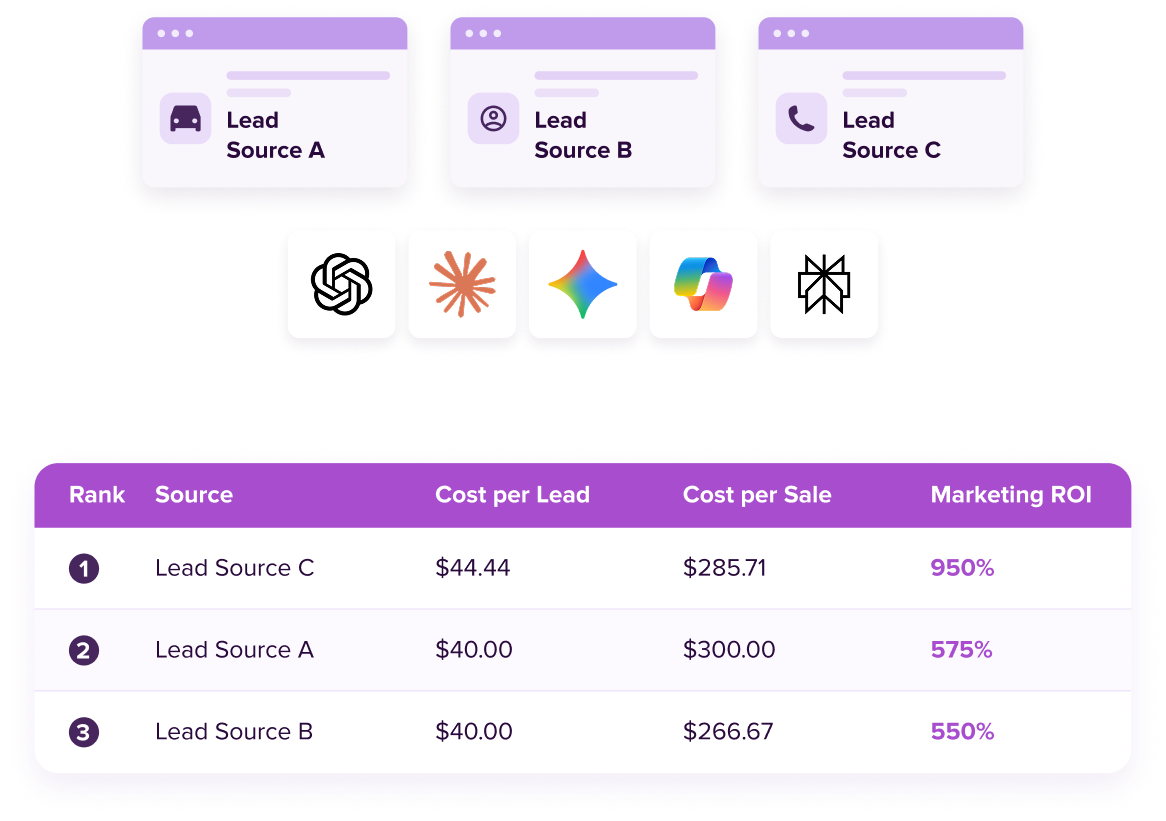
Prompt snapshot
Department
Marketing
Best for
Marketing Directors, GMs
Use case
Lead Source ROI
Difficulty
Intermediate
Time needed
10–15 minutes
How to use this prompt
Copy the prompt below into your preferred AI assistant, then replace the example data with your own cost, leads, sales, and gross profit from the same time period.
The prompt will calculate your key performance metrics, compare each lead source, and organize the results from strongest to weakest return. It will also call attention to sources with limited data and check its calculations before presenting the final breakdown.
- Copy the prompt below.
- Paste it into ChatGPT, Gemini, Claude, Perplexity, or Copilot.
- Replace the example data with your own lead source numbers.
- Send it and review your ranked profitability report.
Lead source profitability analyzer
You are a marketing analyst helping a car dealership evaluate the profitability of its lead sources. Use ONLY the data I provide below. Do not estimate, assume, or fill in any missing numbers.

MY LEAD SOURCE DATA:
(List each source with: name, monthly cost, number of leads, number of sales, and gross profit generated. Use the same time period for all sources — e.g., all Last Month, or all Quarter to Date — mixing periods across sources will produce a misleading comparison. Example:)
- Cars.com | $2,000 | 45 leads | 6 sales | $18,000 gross profit
- Edmunds | $1,200 | 30 leads | 3 sales | $8,100 gross profit
- Carfax | $800 | 20 leads | 2 sales | $5,200 gross profit

[Replace the example lines above with your real sources and numbers.]

STEP 0 — BEFORE DOING ANY CALCULATIONS:
Count how many lead sources were provided. If it is only 1 or 2, stop and display this message instead of proceeding:

"This tool is designed to evaluate all of your lead sources together, so you can see how they perform relative to each other — a holistic view. With only [1/2] source(s) entered, you won't get a meaningful comparison. Would you like to continue anyway with what you have, or add more sources first?"

Wait for the user's response before continuing. If they say to continue anyway, proceed with the calculations and output format below using only the source(s) provided. If 3 or more sources were provided from the start, skip this step entirely and go straight to the calculations.

CALCULATIONS TO PERFORM (internally, for every source):
- Cost per lead = Monthly cost ÷ Leads
- Cost per sale = Monthly cost ÷ Sales
- Marketing ROI = (Gross profit − Monthly cost) ÷ Monthly cost, as a percentage
- Return multiple = Gross profit ÷ Monthly cost, as "$X generated for every $1 spent"
- Flag any source with fewer than 10 leads OR fewer than 3 sales as "Limited data — treat with caution"
- If two sources tie on Marketing ROI, rank the one with more sales higher.
- Round all dollar figures to 2 decimal places and all percentages to the nearest whole percent.
- Recompute every metric a second way to check for errors before presenting anything. If any input is missing for a source, note exactly which metric can't be calculated and why — do not guess.

OUTPUT FORMAT — follow this structure exactly, in this order, with no other content before Section 1:

### 1. Ranked Results
A single table, ranked highest-to-lowest Marketing ROI, with columns: Rank | Source | Cost per Lead | Cost per Sale | Marketing ROI | Return Multiple | Status. Status is "Normal" for sources meeting both thresholds, or "Limited data — treat with caution" otherwise. Flagged sources get "—" for rank but still appear in the table.

### 2. Takeaway
2-3 plain-English sentences: which source is performing best, which is underperforming relative to its cost, and the ROI gap between the highest and lowest source. No advice, no budget recommendations — only what the numbers show.

### 3. Verification (condensed)
For each source, one line only: "[Source]: ROI recomputed via [Return Multiple − 1] × 100 = [result] ✓" or "✗ mismatch — recheck inputs" if the two methods disagree. Do not show the full recalculation work — just the confirmation line.

Do not add commentary, disclaimers, or sections beyond these three.
Get new free prompts before anyone else
We’re building a library of AI prompts made specifically for dealership marketing, sales, and fixed ops teams. Drop your email and we’ll let you know the moment a new one is posted.
We’ll only email you about new prompts. Unsubscribe anytime.
COMMON QUESTIONS
Quick answers for your lead profitability
What if I don’t track gross profit by source?
You don’t need every number to start. Enter what you have — the prompt is instructed to calculate every metric that doesn’t depend on a missing field, and flag anything incomplete so you know exactly what’s still needed.
How is marketing ROI calculated?
(Gross Profit − Monthly Cost) ÷ Monthly Cost — the same return you’ll see expressed elsewhere as “$X generated for every $1 spent,” just shown as a percentage.
What counts as a “lead source”?
Any channel you can attach a cost, lead count, and sales count to — marketplace listings, paid search or social, referral programs, walk-ins, even your service drive.
What’s a good marketing ROI?
There’s no universal number, and be skeptical of anyone who quotes one without context. Compare each source’s cost per sale against your average per-vehicle gross, and against your other channels — the goal is beating your own alternatives, on your own numbers.
How long should I run a source before judging it?
Long enough to have real volume behind the numbers. A source with 2 leads and 1 lucky sale needs more evidence before it earns a top spot. That’s why this prompt flags any source with fewer than 10 leads or 3 sales as “Limited data” instead of letting it top the rankings unchallenged.
What if the AI gets the math wrong?
The prompt requires the AI to recheck every calculation a second way before showing you results, and to flag anything it can’t verify, but no AI is infallible. If a number looks off, a quick gut-check against your own math is always worth doing.
Do I need a paid AI subscription to use this?
No — the free tiers of ChatGPT, Claude, Gemini, and other commonly used AI tools can all run this prompt.
)